A printed book
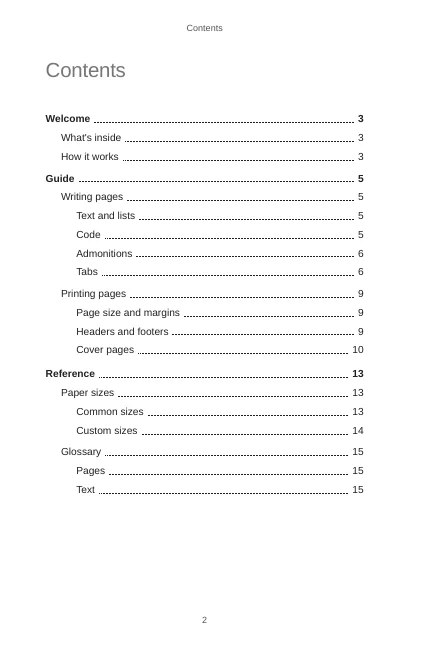
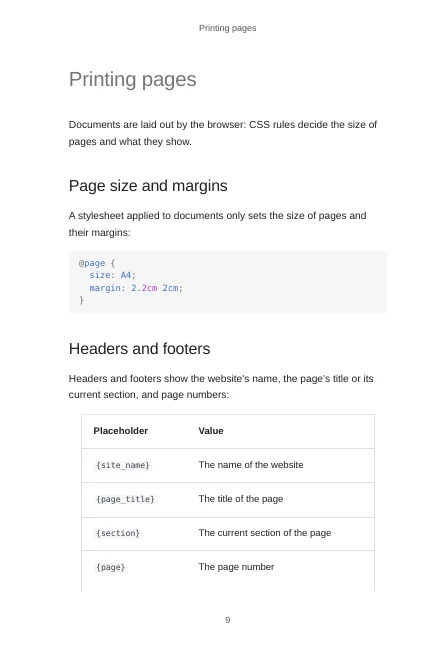
Combine every page into a book of 6 × 9 inches, a common size of printed books: a cloth-like cover, a table of contents and bookmarks, chapters starting on right-hand pages, and wider inner margins for binding.


plugins:
  - exporter:
      formats:
        pdf:
          stylesheets:
            - pdf.css
          covers:
            front: covers/front.html.j2
          header:
            center: "{page_title}"
          footer:
            center: "{page}"
          books:
            - output: field-guide.pdf
              covers: limits
              start: odd
              outline: 2
              toc:
                enabled: true
                title: Contents
@page {
  size: 6in 9in;
  margin: 2cm 1.5cm;
}

/* Wider inner margins, for binding */
@page :right {
  margin-left: 2cm;
  margin-right: 1.2cm;
}

@page :left {
  margin-left: 1.2cm;
  margin-right: 2cm;
}
<style data-mkdocs-exporter-teleport="head">
  @page :first {
    margin: 0;
    background: #111;
  }

  .book-cover {
    break-after: page;
    padding: 6cm 1.5cm 0;
    color: #fff;
    font-family: Palatino, "Palatino Linotype", P052, Georgia, serif;
    text-align: center;

    .title {
      font-size: 30pt;
      letter-spacing: 0.06em;
      text-transform: uppercase;
    }

    .rule {
      width: 2.5cm;
      height: 2px;
      margin: 0.7cm auto;
      background: #002fa7;
    }

    .subtitle {
      font-size: 12pt;
      font-style: italic;
      line-height: 1.5;
    }

    .author {
      margin-top: 9cm;
      font-size: 10pt;
      letter-spacing: 0.15em;
      text-transform: uppercase;
    }
  }
</style>
<div class="book-cover">
  <div class="title">{{ config.site_name }}</div>
  <div class="rule"></div>
  <div class="subtitle">
    {{ config.site_description if page.is_homepage else page.title }}
  </div>
  <div class="author">{{ config.site_author }}</div>
</div>
- The book combines the pages, in the order of the navigation, into
field-guide.pdf. covers: limitsonly keeps the front cover of the first page (and the back cover of the last page, if there was one): the cover of the home page is the cover of the book. The template shows the website's description on the home page, and the page's title on the other pages' own documents.tocinserts the table of contents after the cover, andoutlinesets the depth of bookmarks (pages and their second-level headings).start: oddstarts every chapter on a right-hand page, inserting blank pages (without headers nor footers) when needed.{page_title}shows the title of the chapter, and{page}numbers the pages of the whole book.@page :rightand@page :leftmirror the margins of right-hand and left-hand pages.- The cover is a page without margins and of a single color (
@page :first), whose type is set in Palatino or a close serif font.