Cover pages
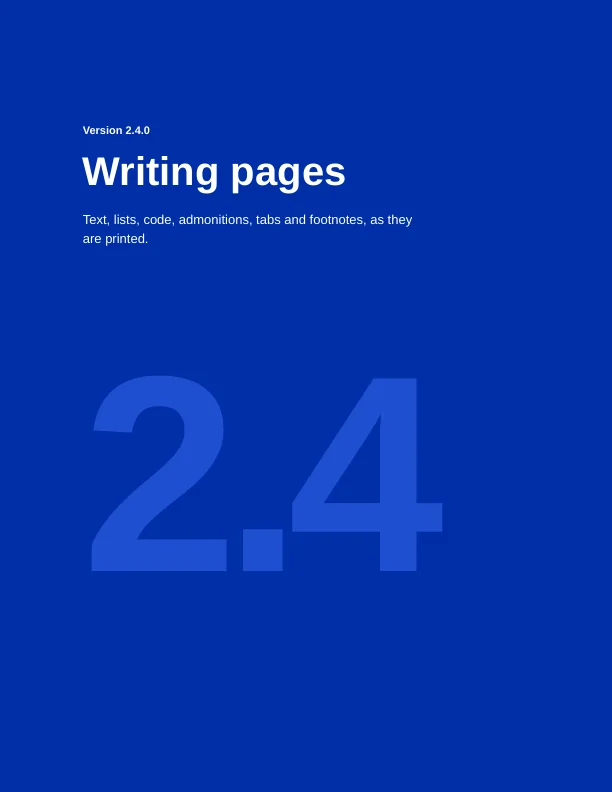
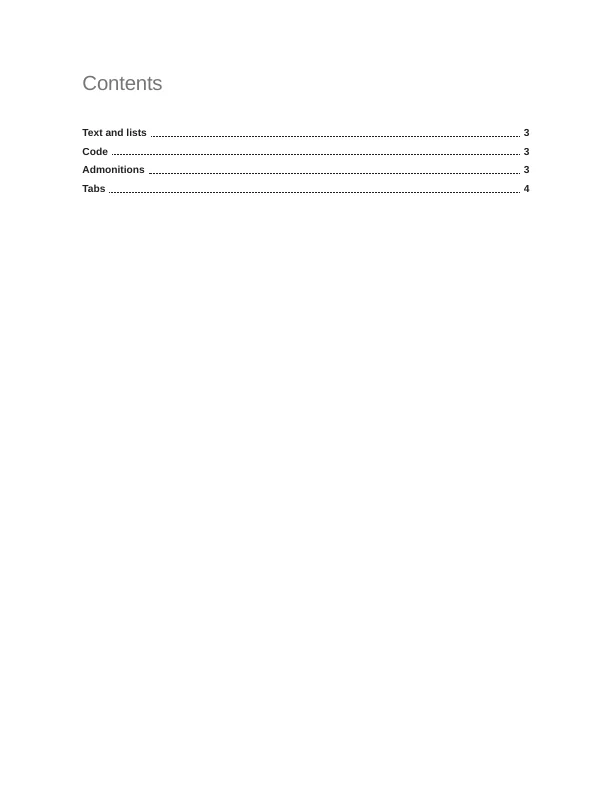
Start each document with a full-bleed cover showing the page's title, its description and the version of the website, set very large, followed by a table of contents.
extra:
  version: 2.4.0

plugins:
  - exporter:
      formats:
        pdf:
          covers:
            front: covers/front.html.j2
          toc:
            enabled: true
            title: Contents
<style data-mkdocs-exporter-teleport="head">
  @page :first {
    margin: 0;
    background: #002fa7;
  }

  .cover {
    break-after: page;
    padding: 3cm 2.5cm 0;
    color: #fff;
    font-family: "Helvetica Neue", Arial, sans-serif;

    .version {
      font-size: 11pt;
      font-weight: 700;
    }

    .title {
      margin-top: 0.4cm;
      font-size: 40pt;
      font-weight: 700;
      line-height: 1.05;
    }

    .description {
      max-width: 12cm;
      margin-top: 0.6cm;
      font-size: 13pt;
      line-height: 1.5;
    }

    /* The major and minor version, as large as the page allows */
    .number {
      margin-top: 4cm;
      color: #1f4fd1;
      font-size: 280pt;
      font-weight: 700;
      line-height: 0.8;
      letter-spacing: -0.05em;
    }
  }
</style>
<div class="cover">
  <div class="version">Version {{ extra.version }}</div>
  <div class="title">{{ page.title }}</div>
  <div class="description">{{ page.meta.description }}</div>
  <div class="number">{{ extra.version.rsplit(".", 1)[0] }}</div>
</div>
---
description: Text, lists, code, admonitions, tabs and footnotes, as they are printed.
---

# Writing pages
- The front cover is a Jinja template, rendered for each page:
pageis the page (page.title,page.metafor its front matter), andextratheextrasettings ofmkdocs.yml. <style data-mkdocs-exporter-teleport="head">moves the template's styles to the head of the document: its@page :firstrule removes the margins of the first page and gives it a color.- The template is rendered by Jinja:
extra.version.rsplit(".", 1)[0]keeps the major and minor version (2.4), printed in large type. Its content stays in the flow of the page, so that it can't overflow onto another page. tocinserts a table of contents of the page's headings after the front cover, with their page numbers.
A page can use another cover, or none, in its front matter:
---
exporter:
  pdf:
    covers:
      front: covers/release-notes.html.j2
---
---
exporter:
  pdf:
    covers:
      enabled: false
---