Headers and footers
Headers and footers have a left, center and right part:
plugins:
  - exporter:
      formats:
        pdf:
          header:
            left: "{site_name}"
            right: "{page_title}"
          footer:
            left: "{section}"
            right: "Page {page} of {pages}"
The following placeholders are available:
| Placeholder | Value |
|---|---|
{site_name} | The name of the website (site_name) |
{page_title} | The title of the page |
{section} | The current first or second-level heading: the first one on the page, or else the last one before it |
{page} | The page number |
{pages} | The number of pages |
In books, pages are numbered across the whole book. Text between braces is always read as a placeholder: braces can't be printed, and an unknown placeholder (e.g. {chapter}) is rejected.
Headers and footers are not printed on cover pages; when they are configured, the back cover starts a new page. They are printed in the margins of pages, so make sure your stylesheet leaves enough room (the default margins do).
Common layouts
In the following layouts, header and footer are under formats.pdf, as above.
footer:
  center: "{page} / {pages}"
header:
  left: "{site_name}"
  right: "{section}"
footer:
  right: "Page {page} of {pages}"
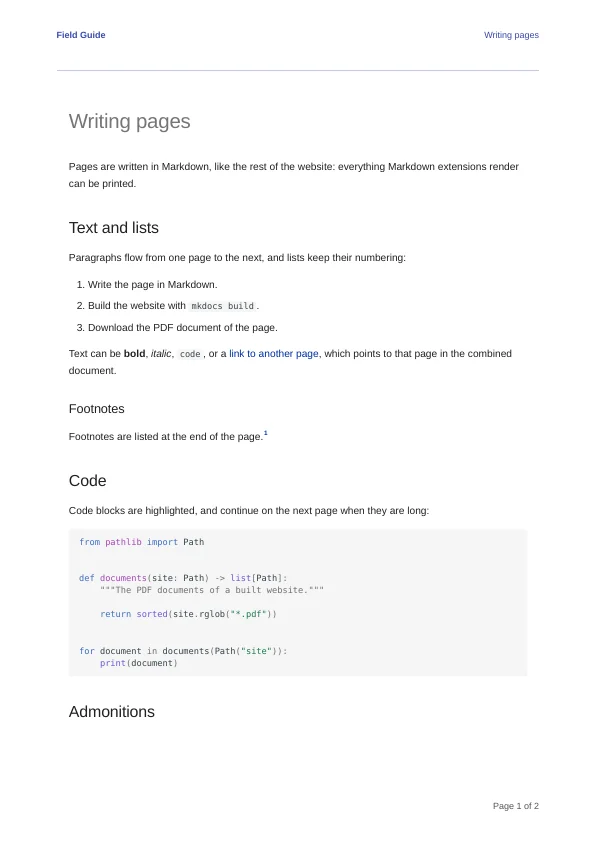
header:
  center: "{page_title}"
footer:
  center: "{page}"
In a book, {page_title} is the title of the current page of the website (the chapter), and {page} counts the pages of the whole book.
Examples
- Page numbers: styled headers and footers, with the current section.
- A printed book: chapter titles and page numbers in a book.
Using CSS
Headers and footers are generated as page margin boxes: they can be styled, or written entirely, in your own stylesheet. For instance:
@page {
  @top-center {
    font-family: Roboto, sans-serif;
    color: #7f7f7f;
  }

  @bottom-right {
    content: "Page " counter(page) " of " counter(pages);
  }
}

@page :first {
  @bottom-right {
    content: none;
  }
}
The generated rules come before your stylesheets, so they can be refined there. Browsers don't support running headers in CSS (string-set): use the {section} and {page_title} placeholders, or Paged.js.